Overwatch aimbot FOV: understand the targeting area
What aim FOV changes, how it differs from camera FOV, and how distance, target priority and hitbox selection fit together.
4 min readAim, visuals & setup
Understand aim FOV and response, keep player ESP readable, and organize hero profiles. Start with the control you want to understand.
Start here
The interface guide is a useful first stop. Then choose the question you want to answer: aim response, player visuals, saved setups or access.
Inside the interface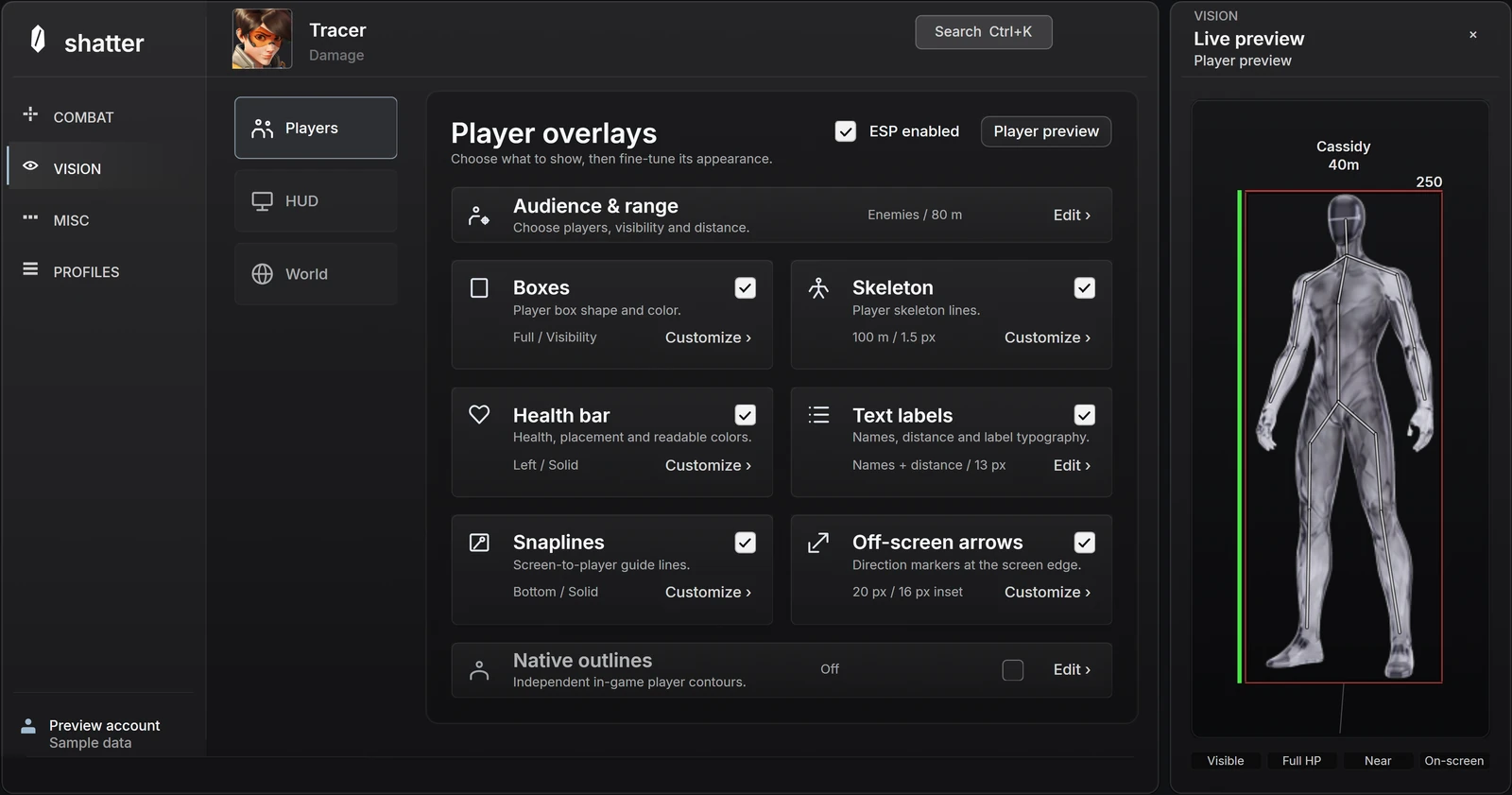
01
FOV, movement and the settings behind a response.
What aim FOV changes, how it differs from camera FOV, and how distance, target priority and hitbox selection fit together.
4 min readSeparate smoothing from maximum speed, acceleration and reaction delay so each adjustment has a clear purpose.
4 min readCompare a single aim movement with sustained following, then separate movement style, activation and firing behavior.
4 min readWhy travel time, charging and alternate attacks matter when reading a hero configuration, without relying on a universal preset.
4 min read02
Understand player information and keep it readable.
Understand what boxes, skeletons, labels and visibility options describe, and why ESP and wallhack are not complete feature specifications.
4 min readUse information hierarchy, line weight, label size and distance limits to make player visuals clearer without enabling every element.
4 min read03
Explore the interface and organize a setup you can return to.
A closer look at shatter's aim controls, player ESP and hero profiles, with a practical way to explore the interactive menu.
3 min readUnderstand hero selection, action-specific controls and named profiles, then make experiments easy to compare and undo.
4 min read04
Compare what matters before choosing a product or access term.
One-time terms, account setup, downloads and first activation: what happens before your access starts, and what happens after.
3 min readA practical checklist for comparing product evidence, current availability, supported systems, payment terms and support before buying.
4 min readExplore the product
The Overwatch product page brings the interactive menu, current availability and access terms together.